(347) 625-1246
 hello@brooklynchirocare.com
 112 Greenpoint Ave #1B, Brooklyn, NY 11222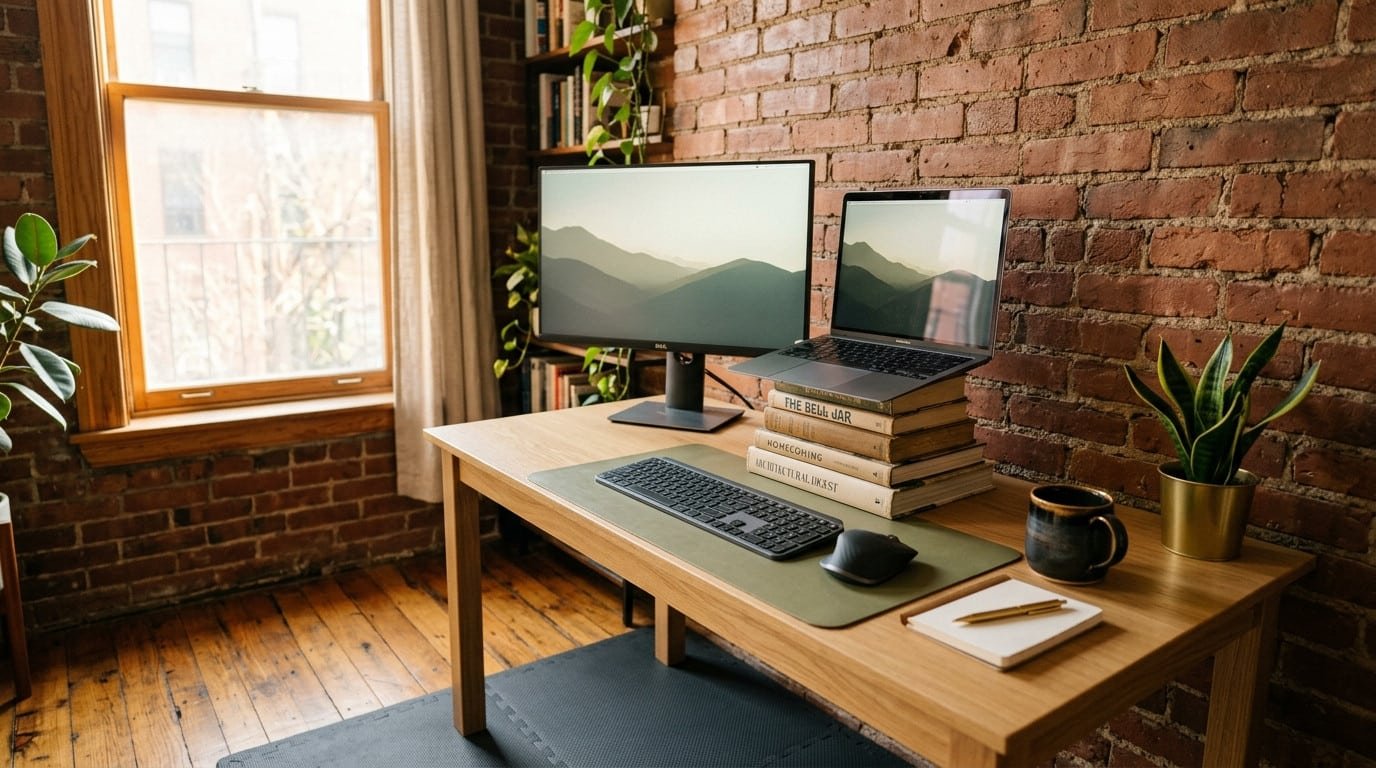
A standing desk in a Brooklyn apartment isn’t really a standing desk. It’s a kitchen counter, a stack of textbooks, an IKEA Lack table on a Lack table, or a $79 Amazon riser jammed into a corner of the bedroom. Patients come in convinced the standing desk fixed their back pain. Then they describe the setup, and I can already see why their neck is locked up.
Key Takeaways
- A standing desk in a Brooklyn apartment usually fails because the monitor sits 8-12 inches too low, not because standing is bad.
- Most pre-war 1BRs and studios can’t fit a real adjustable desk. Workarounds work if you fix the screen height first.
- Your kitchen counter is almost always too tall for typing and too short for the screen. Both problems hit the same neck.
- Standing all day isn’t the goal. Switching every 30-45 minutes is the goal.
- If you’ve had pain for more than 4 weeks and gear changes haven’t moved it, the issue probably isn’t ergonomic anymore.
Table of Contents
Standing Desk in a Brooklyn Apartment: Why the Setup Itself Causes Pain
The standing-desk-in-a-Brooklyn-apartment problem isn’t standing. It’s geometry. A real adjustable desk lifts your screen, your keyboard, and the angle between them. A converter riser you bought because your bedroom is 9×10 lifts the keyboard but leaves your laptop screen 14 inches below eye level. You spend eight hours looking down.
I see this pattern weekly. Patient walks in with upper-back tightness, the kind that wraps around to the front of the shoulder. They’ve been “standing more” for two months. Their setup is a small riser on a IKEA Linnmon, monitor stacked on three hardback books, keyboard tray that’s an inch too high. The riser fixed one joint and broke two others.
The fix isn’t a bigger apartment. The fix is treating the standing desk as one piece of a two-monitor-height problem and a one-keyboard-height problem. Get those three numbers right, the rest takes care of itself.
What’s Actually Going Wrong in Your Spine
Three things break when a standing desk setup is wrong, and they break in a predictable order.
First, your cervical spine flexes forward. Every inch your screen sits below eye level adds load on the muscles at the base of your skull and the top of your shoulder blade. A 2014 review in Applied Ergonomics looked at sit-stand workstations and found that switching alone didn’t improve neck or shoulder discomfort, partly because most people kept their monitor low when they stood up. [1]
Second, your low back stops moving. Standing isn’t dynamic if you’re locked staring at a screen. The lumbar muscles fatigue, your pelvis tips, and you start hanging on your joints instead of using your muscles. Standing for prolonged periods is a documented risk factor for low-back symptoms in workers who don’t shift position. [2]
Third, your wrists take the cost. Keyboard too high, you’re shrugging your shoulders for hours. Keyboard too low, your wrists bend up. Either way, the median nerve and the muscles of the forearm get angry, and that’s how desk-job carpal tunnel symptoms start.
Real issue is upstream. You can’t outwork bad geometry with willpower.
5 Real Fixes for a Brooklyn Apartment Setup
These assume you’re working with what you have. Pre-war 1BR. Studio. Corner of the living room. I’m not going to tell you to buy a Jarvis L-shape.
-
Get the monitor up first, desk second. Top of the screen should sit roughly at eye level when you’re standing upright. If you’re using a laptop, you need a separate keyboard and a stand that lifts the screen 6-10 inches. A stack of hardcover books works. A $25 riser works. Without this, every other fix is wasted.
-
Two heights, not one. Aim for a sit-stand split, not all-day standing. Try 30 minutes standing, 30 sitting, repeat. A 2018 systematic review in Cochrane found that sit-stand desks reduced sitting time by about 100 minutes per workday but didn’t reliably reduce pain unless people actually switched throughout the day. [3] Set a timer. The desk doesn’t enforce anything on its own.
-
Anti-fatigue mat or kill the standing. Hardwood and tile in pre-war Brooklyn buildings are brutal on your feet, knees, and low back. A 3/4-inch foam mat changes the load through your whole posterior chain. About $30. If you don’t have a mat and you stand in socks on a hardwood floor for four hours, your low back will lock up by 5pm. Every time.
-
Keyboard at elbow height, not desk height. Your elbows want to be at about 90-100 degrees, forearms parallel to the floor, shoulders relaxed. If the desk surface is too high, the keyboard needs to drop. Cheap clamp-on keyboard trays exist for $40 and screw onto an IKEA Linnmon. Doesn’t have to be pretty. Has to be at the right height.
-
One screen, not two stacked weirdly. If you only have room for one monitor, use one monitor. Don’t put a laptop below the external display and crane your neck back and forth all day. The “second screen” is the source of half the neck pain I see in Greenpoint remote workers. Pick the bigger screen, center it, close the laptop, plug it into a dock. Done.
If you genuinely need two screens for work, stack them vertically instead of side by side, with the primary at eye level and the secondary directly below for reference reading only.
The Kitchen Counter Standing Desk: Honest Verdict
Kitchen counters in Brooklyn pre-war apartments are usually 36 inches. For a 5’8″ person, that’s about right for the keyboard. For a 5’2″ person, it’s three inches too high. For a 6’1″ person, three inches too low. None of those people can use it as a long-term work surface without compensating somewhere.
The bigger problem is the screen. Counters are flat. You’re putting a laptop on a flat surface, looking straight down, and your cervical spine is hating you within an hour. If you must use the counter, you need to raise the laptop with a stand (any $20 metal one), plug in an external keyboard, and accept that the keyboard sitting on the counter is probably too high for typing. Drop your elbows. Shrug less. Take more breaks.
Honest take: the kitchen counter works for short stretches. Coffee, a half-hour email burst, a quick call. As an eight-hour station, it’ll cost you more in adjustments than a $150 riser would have. I tell patients the same thing every time.
If your only real-estate is the kitchen counter, alternate it with sitting at the table. Two awkward setups beat one bad setup if the joints under load keep changing.
When to Stop Tweaking and See a Chiropractor
Ergonomic fixes work when the issue is fresh. Two to three weeks of pain, your posture’s the problem, and a riser will move the needle. Four-plus weeks, the pain pattern is set, and the issue isn’t the desk anymore. The muscles around your neck and mid-back have learned a bad pattern and won’t release on their own.
Red flags that mean the desk isn’t the whole story:
- Pain that wakes you up at night, especially numbness or tingling into the hand or fingers
- Headaches that start at the base of the skull and wrap forward
- One shoulder that sits visibly higher than the other in the mirror
- Pain that radiates down one arm past the elbow
- Loss of grip strength or sensation in the fingers
Patient last month, software engineer in a Williamsburg studio, fixed his standing desk three times. Bought two risers, returned both. The pain didn’t move because his issue was a stuck rib in the mid-back from months of forward-rounded posture. Took two adjustments and some active release work. Setup didn’t change. Pain did.
At Brooklyn Chiropractic Care, I work through the whole chain on a first visit. Cervical mobility, mid-back rib motion, shoulder blade position, hip and pelvis check. Then we figure out which of your standing-desk fixes are actually doing something and which are wasted effort.
Frequently Asked Questions
Is a standing desk in a Brooklyn apartment worth it if I only have 9×10 of bedroom space?
Yes, if you fix the monitor height first. A $25 laptop stand and a $40 keyboard tray solve 80% of the problem in a small Brooklyn bedroom. You don’t need a full Uplift desk. You need the right three numbers.
How long should I stand vs. sit during the workday?
Aim for a 30-30 split, not all-day standing. All-day standing creates its own low-back pain. The point of a sit-stand setup is to switch loads every half hour or so, which is what the spine actually wants.
Can a kitchen counter work as a permanent standing desk?
Short stretches yes, full-time no. Counter height is fixed at 36 inches in most Brooklyn apartments, which is wrong for most people and forces the laptop screen into a brutal angle. Use the counter for an hour at a time, then move to a real chair.
Will a standing desk fix my back pain?
It can help if the pain is recent and posture-related. If you’ve had pain for over a month or it radiates, the desk isn’t the issue anymore. The muscle and joint pattern is set, and you’ll need hands-on care to reset it. Ergonomic tweaks alone won’t undo four months of damage.
Should I get an anti-fatigue mat for a hardwood floor?
Yes. Brooklyn pre-war hardwood is hard on knees, ankles, and the low back. A 3/4-inch foam mat is about $30 and changes the load through your whole leg and lumbar chain. Without one, four hours of standing on hardwood is enough to lock up most low backs.
My laptop is the only screen I have. What do I do?
Get a stand and an external keyboard. The stand lifts the screen to eye level, the keyboard sits at elbow height. About $50 combined. This single change fixes more neck pain than any desk upgrade I see.
Ready to find relief? Schedule an appointment online or visit us at Brooklyn Chiropractic Care, 112 Greenpoint Ave. STE 1B, Brooklyn, NY 11222.
Related Reading
- Remote Work Back Pain in Greenpoint
- Upper Crossed Syndrome and Chiropractic Treatment
- Ergonomic Desk Setup Tips From a Brooklyn Chiropractor
- Posture Correction at Brooklyn Chiropractic Care
References
- Karakolis T, Callaghan JP. The impact of sit-stand office workstations on worker discomfort and productivity: a review. Applied Ergonomics. 2014;45(3):799-806. pubmed.ncbi.nlm.nih.gov/24157240
- Coenen P, Willenberg L, Parry S, et al. Associations of prolonged standing with musculoskeletal symptoms: a systematic review of laboratory studies. Gait & Posture. 2017;58:310-318. pubmed.ncbi.nlm.nih.gov/28863296
- Shrestha N, Kukkonen-Harjula KT, Verbeek JH, et al. Workplace interventions for reducing sitting at work. Cochrane Database of Systematic Reviews. 2018;(6):CD010912. pubmed.ncbi.nlm.nih.gov/29926475
Not Sure What's Causing Your Pain?
Take our 60-second pain assessment and get a personalized care recommendation from Dr. Patel.
Take the Assessment